Introduction
The easy way to run an authenticated SOCKS5 proxy system-wide on Linux desktops.
Paste one proxy string. socksy handles the credentials, wires up your desktop proxy, and confirms your new exit IP, all in a single command. Works on GNOME and KDE, with a CLI-only fallback for everything else.
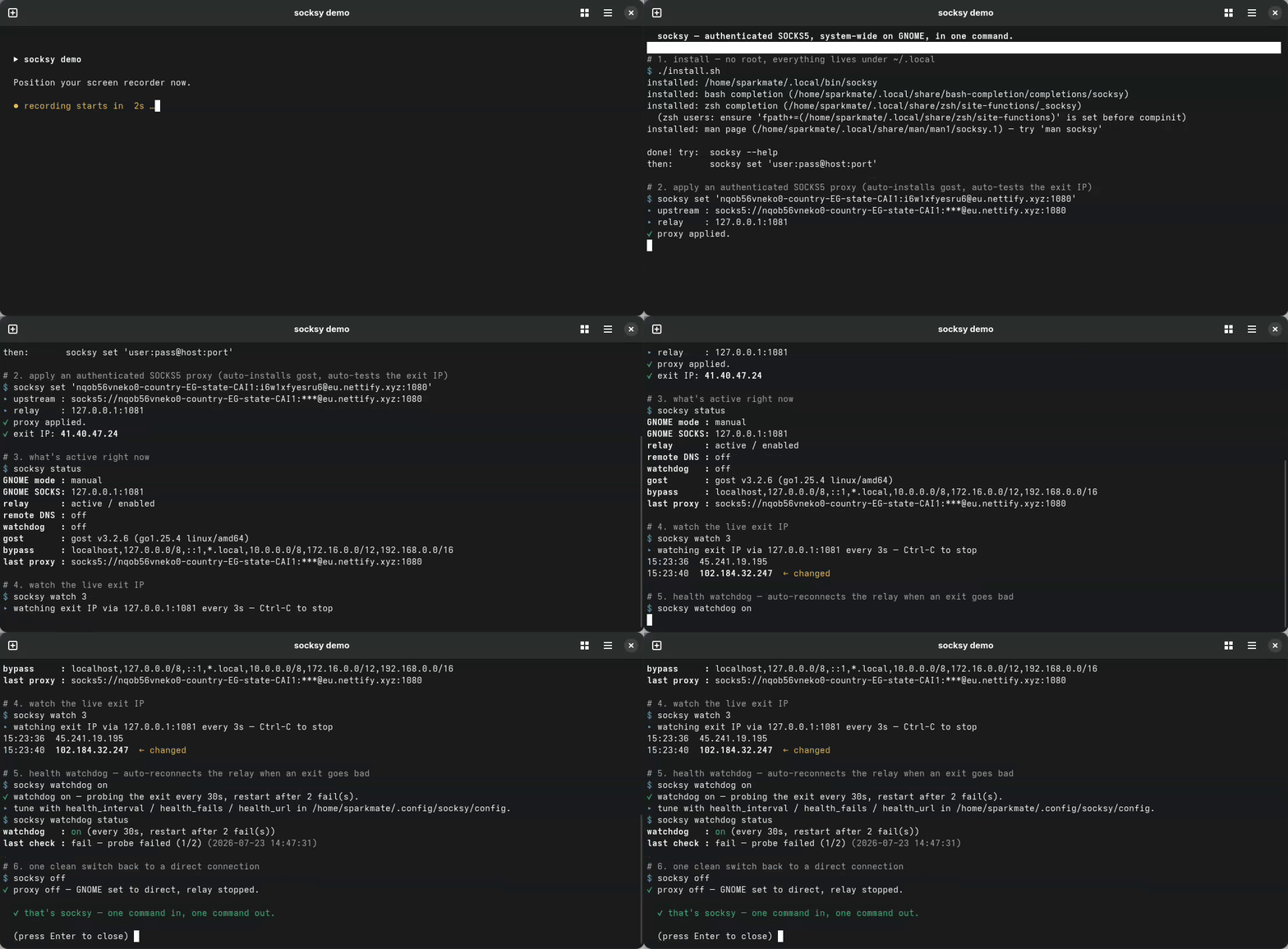
socksy set 'user:pass@host:port'▸ upstream : user:***@eu.example.net:1080
▸ relay : 127.0.0.1:1081
✔ proxy applied.
✔ exit IP: 41.45.55.53Why this exists
Desktop proxy settings cannot send a SOCKS username and password; there are simply no fields for it. So if your provider gives you an authenticated SOCKS5 proxy (very common for residential/mobile proxies), the system proxy GUI is a dead end: apps connect, then get rejected.
socksy solves this the clean way:
  your apps  ──▶ 127.0.0.1:1081 ──▶ gost relay ──▶ your.proxy:1080
   (no auth)      (local, no auth)   (adds creds)   (authenticated)
A tiny local relay (gost) holds your credentials and forwards traffic upstream. Your desktop just points at the local relay. You get system-wide, authenticated SOCKS5 with zero fuss.
Features
- One command to apply, one to turn off. No config files to hand-edit.
- Handles authentication that the desktop proxy GUI can't do on its own.
- GNOME, KDE, or CLI-only: autodetects the right backend, override with
SOCKSY_BACKEND. - Auto-installs the
gostrelay on first use, with SHA-256 verification (no root needed). - Runs as a systemd user service: survives logout, restarts on failure.
- Credentials stay out of
ps: the relay reads them from a600config file, not its command line. - Per-app proxying:
socksy run <cmd>proxies one command and leaves the desktop alone. - Saved profiles:
socksy save work '...'thensocksy use work. - Sticky sessions:
--sticky/--session <id>to hold one exit IP. - One-command rotation:
socksy rotategrabs a fresh exit IP from the same provider. - Country builder:
--country GRtags the username for a geo-targeted exit. - SOCKS5 / HTTP / HTTPS upstreams:
--type httpfor proxies that aren't SOCKS. - Takes your provider's format:
host:port:user:passworks anywhere a proxy is accepted. - Leak audit:
socksy checkproves where your traffic really exits, in one command. - Remote DNS:
socksy dns onstops Firefox DNS leaks. - LAN bypass:
socksy bypassmanages the no-proxy list (localhost,.local, RFC1918). - Health watchdog:
socksy watchdog onauto-restarts the relay when the exit goes bad. - Live IP watch:
socksy watchloops the exit IP and flags every change. - Readable logs:
socksy logs -ftails the relay's journal. - Scriptable:
socksy status --jsonfor status bars and automation. - Optional config file: set your own defaults in
~/.config/socksy/config. - Shell completions: bash & zsh, including profile names.
- Instant feedback: every apply prints your real exit IP.
- Clean off switch:
socksy offreturns you to a direct connection. - No root needed. The default install lives entirely under
~/.localand~/.config; a.deband an.rpmare there if you would rather.
Requirements
- A Linux desktop. socksy autodetects a backend:
- GNOME and relatives (Cinnamon, MATE, Budgie, Unity, Pantheon), via
gsettings. - KDE Plasma, via
kwriteconfigwriting~/.config/kioslaverc. - Anything else, including headless/CLI-only, via a sourceable
~/.config/socksy/env.sh.
- GNOME and relatives (Cinnamon, MATE, Budgie, Unity, Pantheon), via
The KDE backend has not yet been exercised on a real Plasma session. If you run KDE, reports either way are welcome in the issue tracker.
systemduser services (standard on modern Linux).curl(to auto-download gost) andbash.
Ready to try it? Head to Installation.